Top 10 Industrial Touch Panel Features Buyers Must Know?
In today's rapidly evolving industrial landscape, the significance of the Industrial Touch Panel cannot be overstated. These panels are revolutionizing how operators interact with machinery and systems on the factory floor. As industries increasingly adopt automation, understanding key features becomes essential for buyers.
With a myriad of options available, not all Industrial Touch Panels are created equal. Buyers must be knowledgeable about display quality, durability, and responsiveness. Each feature holds the potential to enhance productivity and streamline operations. However, some features may seem beneficial but can lead to unforeseen complications. It’s crucial to discern between genuine value and mere marketing hype.
Furthermore, the integration of these panels into existing systems can be tricky. Compatibility issues might arise, requiring thoughtful consideration. Therefore, potential buyers should adopt a critical approach while weighing their options. By doing so, they not only improve the efficiency of their operations but also ensure a robust return on investment.
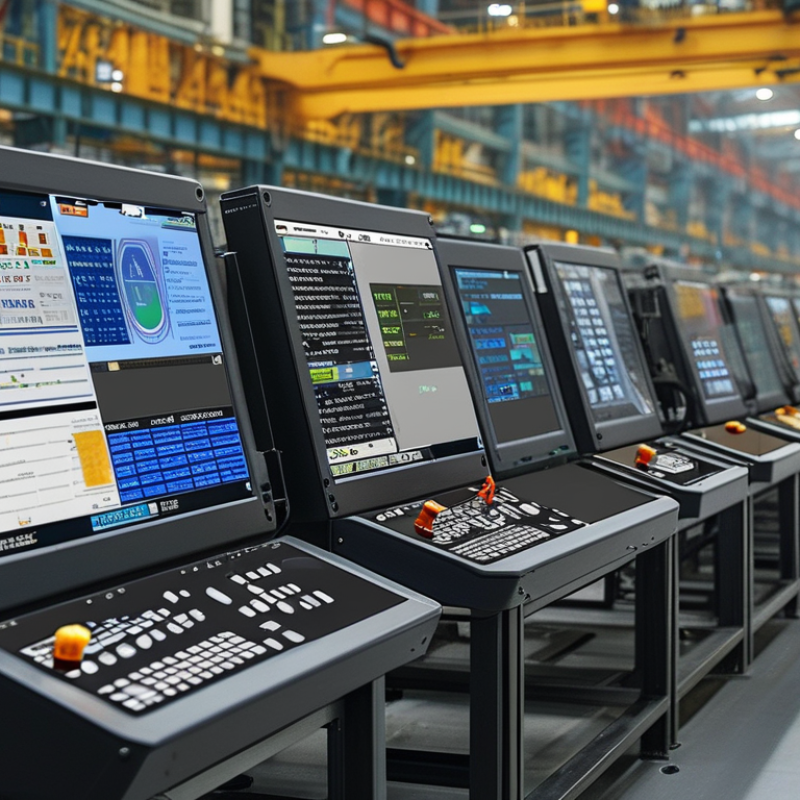
Key Specifications to Consider for Industrial Touch Panels
When considering industrial touch panels, it’s essential to focus on key specifications that truly matter. One important aspect is the screen size. Larger screens offer better visibility, especially in manufacturing floors. However, they may occupy more space and can be more challenging to navigate in tight environments.
Another crucial specification is the display technology. Options include resistive and capacitive screens. Resistive screens are durable and work well with gloves, but they may lack responsiveness. Capacitive screens provide a smoother experience but require direct touch. The choice depends on the specific operational context.
Durability is also paramount. Industrial touch panels must withstand harsh conditions. Look for screens with high ingress protection ratings. This indicates resistance to dust and water. It’s also wise to consider the temperature range. Panels designed for extreme temperatures can prevent failure in fluctuating conditions. Keep in mind that while features like anti-glare coatings improve visibility, they may not be essential for every application.
Durability and Environmental Resistance in Touch Panel Features
When selecting industrial touch panels, durability and environmental resistance stand out as crucial features. A recent industry report highlights that 70% of panel failures occur due to environmental conditions. These include temperature fluctuations, moisture, and dust exposure. As workplaces move towards more rugged settings, the demand for robust touch panels is increasing.
In terms of durability, many panels offer IP ratings. For instance, an IP65 rating indicates protection against dust and water jets. Yet, not all ratings are created equal. Buyers must consider the specific environments where the panels will be used. Misunderstanding these ratings can lead to inadequate protection, leading to costly repairs.
Testing for impact resistance is another vital aspect. Some reports indicate that touch panels can sustain impacts up to 1 meter. However, this doesn’t guarantee performance under all conditions. Users should reflect on the potential risks posed by their application environments. Developing a deeper understanding of these features ensures better long-term investments and operational reliability.
Optimal Touch Sensitivity and Response Time Requirements
In industrial settings, optimal touch sensitivity and response time are critical for effective operations. When selecting touch panels, buyers must prioritize these features. A touch panel should respond quickly to inputs, minimizing delays. Ideally, response times should be under 20 milliseconds to ensure smooth interaction.
Achieving the right touch sensitivity is equally important. A panel that is too sensitive may register unintended touches, creating frustration. Conversely, low sensitivity may require excessive force to register. It’s essential to find a balance for optimal user experience. Testing panels in real scenarios can help identify the best fit for specific tasks.
**Tip:** Evaluate user feedback during trials. This can highlight any sensitivity issues.
Understanding the environment is also vital. Dust, moisture, and even temperature fluctuations can affect touch performance. Touch panels must be durable enough to handle these elements. Industrial-grade panels often feature protective coatings to enhance reliability.
**Tip:** Consider panels with customizable sensitivity settings to adapt to varying conditions.
Your choice of touch panel can influence efficiency. Take time to explore advanced features that improve user interaction. A good user experience reflects on productivity and overall workplace effectiveness.
Top 10 Industrial Touch Panel Features Buyers Must Know
Compatibility with Various Operating Systems and Platforms
When selecting an industrial touch panel, compatibility with various operating systems and platforms is crucial. A robust touch panel should seamlessly integrate with Windows, Linux, and Android systems. This flexibility allows operators to use software that meets their specific needs. Consider how often these systems are updated. A good touch panel will adapt without needing frequent replacements or extensive modifications.
Not all touch panels can handle diverse platforms effectively. Some may excel in one area but falter in another. Testing the panel with your intended applications is essential. Ensure that touchscreen functionality remains smooth across different operating systems. It's also vital to look at how well the panel supports legacy systems, as many industries still rely on older technology.
Ignoring compatibility can lead to costly inefficiencies. If operators struggle with a complex interface, productivity decreases. Additionally, custom software solutions may not perform optimally on a less compatible touch panel. Take time to evaluate options and consider future upgrades. Buying a touch panel should be a strategic decision, not just a quick fix.
User Interface Design Considerations for Industrial Applications
When designing user interfaces for industrial applications, several factors come into play. A clean, intuitive layout is essential. Users need to interact with the system effortlessly, even in high-pressure environments. Large buttons and clear icons enhance visibility and minimize errors. Ensure that color contrasts are strong enough to be distinguishable in various lighting conditions.
Another critical factor is feedback. Effective interfaces provide immediate responses to user actions. This can include visual cues or tactile responses. Such feedback helps users feel assured that their inputs are recognized. However, developers must balance feedback visibility without overwhelming users with too much information at once.
Accessibility should not be overlooked. Not every user has the same level of experience. Designing for various skill levels means considering how different users will approach the interface. This includes simplifying complex workflows. Creating a hierarchy in information presentation aids users in finding what they need quickly. Reflecting on the usability of an interface can lead to insights that enhance overall user experience.