
How to Choose the Right AMOLED Screen?
Choosing an AMOLED Screen is no longer a niche concern. It affects phone buyers, product designers, and engineers selecting panels for wearables, tablets, and monitors. Counterpoint Research forecast that OLED panels would account for more than half of smartphone display shipments in 2024. That forecast reflects a market shift, not a guarantee that every AMOLED panel suits every device.
Ross Young, founder of Display Supply Chain Consultants, is a prominent display-industry analyst. A practical takeaway from his market commentary, paraphrased rather than quoted verbatim, is to assess display choices against the product’s intended use and market position. That distinction matters. A vivid demo can hide uneven brightness, strong reflections, or power demands that become obvious outdoors or during long reading sessions.
This guide looks beyond resolution figures and marketing labels. It considers brightness, pixel density, refresh rate, color behavior, burn-in mitigation, power use, durability, and price. Check test conditions, too: peak brightness measured on a small highlight may not match sustained full-screen brightness. Specs can mislead. Even careful comparisons have limits, since panel performance varies by supplier, calibration, and device software. Use manufacturer documentation and independent tests where available. The right choice depends on real viewing conditions: sunlight on a shop floor, text on a dim train, or motion in a game. No single specification tells the whole story.
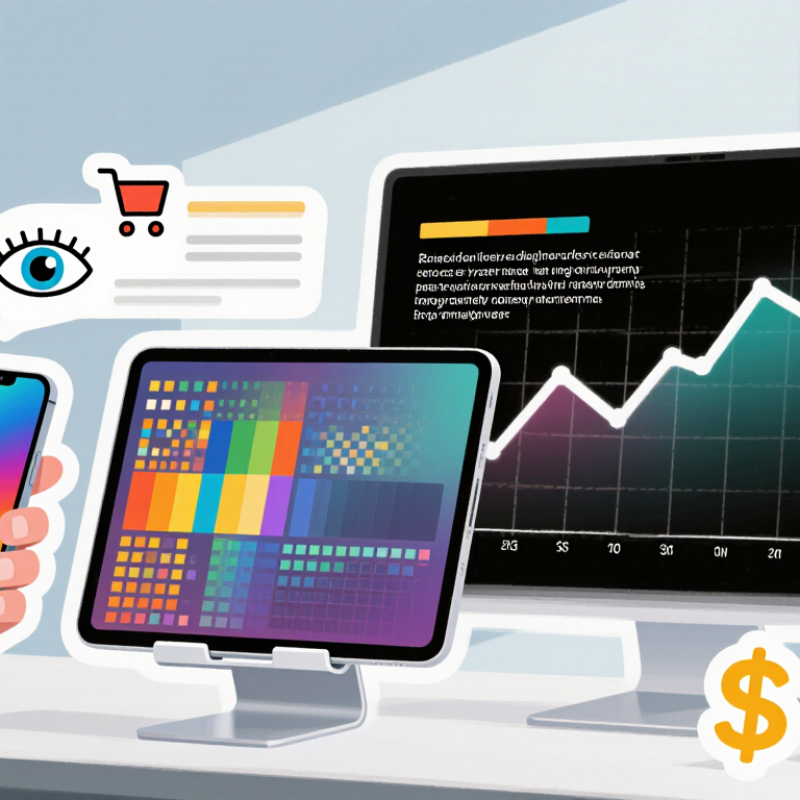
Identify Your Device and Intended Use
Before comparing AMOLED screens, identify the exact device model and its hardware revision. Similar-looking phones or tablets can use different display connectors, mounting points, or touch-control components. Check the model number in the device settings, on its original packaging, or in reliable service documentation. Small details matter.
Next, define how you use the screen. For reading indoors, comfortable brightness and clear text may matter more than peak refresh rate. For gaming, check the device’s supported refresh rate and whether the replacement preserves touch response. Outdoor use calls for adequate brightness, but advertised figures do not always reflect everyday performance. Your settings and surrounding light also make a difference.
Compare the panel’s size, resolution, connector position, and frame design with the original specifications. Confirm whether the screen includes a touch layer and whether installation requires transferring small components. A matching diagonal measurement alone is not enough. Even careful checks can miss a subtle revision, so verify compatibility against the full model code before ordering. If the device is already open, photograph the connector and mounting points; it is easy to misremember their layout later.
How to Choose the Right AMOLED Screen? - Identify Your Device and Intended Use
| Device or Use | Typical Screen Size | Resolution and Pixel Density | Refresh Rate | Brightness and HDR | What to Prioritize |
|---|---|---|---|---|---|
| Smartphone for everyday use | About 6–7 inches | Full HD+ or higher; roughly 350–500 pixels per inch (ppi) | 90–120 Hz for smoother scrolling; 60 Hz can suit basic use | Look for strong outdoor visibility and clearly stated sustained brightness. HDR support is useful for compatible video. | Check the exact screen size, resolution, panel shape, connector, and fingerprint-sensor compatibility before choosing a replacement. |
| Smartphone for gaming | About 6–7 inches | Full HD+ or higher; around 350–500 ppi | 120 Hz or higher if the device and games support it | Prioritize readable brightness during long sessions and good thermal behavior; HDR is secondary to smooth gameplay. | Confirm the device can drive the panel at its rated refresh rate. Check touch response, power use, and whether the replacement supports the original functions. |
| Tablet for reading, study, or streaming | About 10–13 inches | Roughly 200–300 ppi is common; higher density makes small text appear sharper | 60–120 Hz, depending on whether smoother scrolling or drawing is important | Consider brightness in the intended lighting and HDR support for compatible content. | Choose a comfortable aspect ratio and viewing size. For reading, prioritize sharp text, uniform brightness, and low glare. |
| Smartwatch or compact wearable | About 1.2–2 inches | Often around 250–450 ppi, depending on display size and design | Usually 30–60 Hz; low-power operation matters more than high refresh | Outdoor readability is important. Always-on display modes should be supported by the device. | Match the exact dimensions, shape, touch layer, and display assembly. A panel that does not fit the case is not a suitable substitute. |
| Laptop for work, study, or media | About 13–16 inches | Full HD or higher; commonly around 150–250 ppi | 60 Hz is adequate for general work; higher rates can improve motion smoothness | Check sustained brightness, reflections, and HDR performance rather than relying only on a peak-brightness figure. | Prioritize text clarity, color accuracy, viewing comfort, and battery impact. Confirm panel dimensions, connector, and mounting details. |
| Desktop monitor for creative work | About 27–32 inches | Commonly 1440p or 4K; about 100–160 ppi, depending on size and resolution | 60–120 Hz is suitable for many creative workflows; choose higher rates for motion-focused work | For HDR work, check the stated HDR capabilities, full-screen brightness, and color performance together. | Look for measured color coverage and accuracy, uniformity, resolution, and a suitable connection. Calibrate the display for color-critical tasks. |
Specifications vary by panel and device. Treat these ranges as selection guidelines, and verify the exact dimensions, resolution, connector, mounting points, and supported features for your device before purchasing.