7 Cold Sublimation Transfer Printing Tips for Buyers
Cold Sublimation Transfer Printing can sound straightforward, but buyers face a chain of technical decisions. The transfer paper, ink, press settings, and fabric must work together. A mismatch may leave pale edges, uneven color, or prints that fade after washing.
The market makes careful evaluation worthwhile. Grand View Research valued the global digital textile printing market at approximately US$2.7 billion in 2022 and projected a 12.7% compound annual growth rate from 2023 to 2030. This broad market includes multiple technologies; it is not a forecast for cold sublimation alone. Still, it signals growing interest in digitally printed textiles and greater choice for buyers.
Small details matter.
Before comparing prices, ask suppliers to clarify what “cold” means in their process. Sublimation generally requires heat to transfer dye, while “cold peel” may describe when the carrier is removed. The wording can be confusing, so request a written process description and a sample made on your intended material. Check the fabric’s composition and coating, color consistency, wash-test results, minimum order quantity, and compatibility with your press. A bright sample on polyester may not predict results on a different substrate.
Test before scaling.
The seven tips ahead focus on evidence buyers can verify: sample performance, production settings, supplier documentation, and realistic cost comparisons. No single specification tells the whole story. A small trial can expose problems early—and sometimes the best choice is not the cheapest roll.
How Cold Sublimation Transfer Printing Works
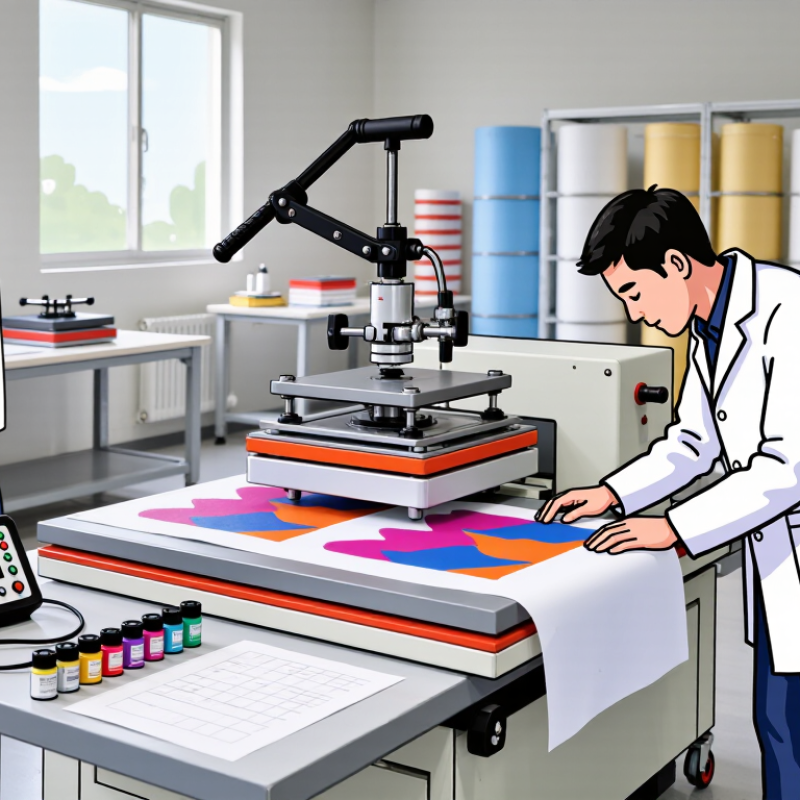
In cold sublimation transfer printing, “cold” usually describes the peel stage, not the printing itself. Heat is still essential. A design is printed in reverse with sublimation ink onto transfer paper, then placed against a compatible polyester surface. A heat press applies controlled temperature, pressure, and time, turning the ink into gas that bonds with the material. That distinction matters.
After pressing, the transfer and substrate need to cool before the paper is removed. Peeling too early can blur edges or disturb fine details, especially on small lettering. Wait until the sheet feels cool to the touch. Then peel steadily, rather than pulling sharply. The exact settings vary with the paper, ink, fabric, and press, so follow supplier guidance and test a sample first.
For buyers, check whether the intended product has a suitable polyester coating or fabric content; ordinary cotton will not accept standard sublimation dye in the same way. Look closely at color consistency, wash performance, and registration on a small test run. A clean press surface and even pressure also matter. One limitation is easy to overlook: “cold peel” does not guarantee identical results across materials. A sample may look excellent, while a larger batch reveals uneven color. Test one piece.
How to Choose Compatible Printers, Inks, and Transfer Paper
Choose a printer designed for sublimation ink, or confirm that its printhead and ink-delivery system support the ink you plan to use. A standard inkjet printer may not be a safe match after conversion; leftover ink can contaminate colors or affect print performance. Check the printer’s supported media width, resolution, and maintenance requirements before ordering. The widest model is not always the best fit for a small production space.
Match the ink and transfer paper as a system. Ask the supplier for compatibility guidance, drying expectations, and recommended heat-press settings. Paper coatings affect how ink releases, so a sheet made for one ink may produce dull colors or uneven transfers with another. Check which side is printable, too. It sounds obvious, but a reversed sheet can waste a full run. If your workflow requires cold peeling, confirm that the paper supports that process rather than assuming all transfer papers behave alike.
Test on the material you will actually sell. Sublimation generally works best on polyester fabrics and suitably coated hard surfaces; cotton alone will not retain the transferred dye reliably. Use a small print, press it with the recommended settings, then inspect fine lines, color, and edge sharpness after cooling. Test before scaling. Results can vary with fabric weave, coating, humidity, and press pressure. Keep a simple record of each combination. My own caution: supplier charts help, but they do not replace a real sample.
7 Cold Sublimation Transfer Printing Tips for Buyers
Typical heat-press time starting ranges by substrate
These are common starting ranges, not universal settings. Follow the substrate and transfer-paper instructions, and confirm that your printer supports sublimation ink, your paper is coated for sublimation, and your heat press can maintain the required temperature and pressure. Allow transfers to cool before peeling only when the paper instructions call for a cold peel.
How to Check Fabric Suitability and Color Expectations
Before ordering cold sublimation transfers, check the fabric label and ask for its polyester percentage.
Sublimation dye bonds best with polyester or a compatible polymer coating. A cotton-rich shirt may show faint, washed-out color, even when the transfer looks vivid on paper. Test a swatch.
Use the exact fabric you plan to buy, including its color and finish. White or pale polyester usually gives the clearest results; dark fabric will not become white through sublimation. Compare the printed sample in daylight, since indoor lighting can shift how colors appear.
Small details matter. Ask the supplier for recommended temperature, pressure, and pressing time, then follow those settings for the sample. A cold-peel instruction concerns when to remove the carrier, not whether a fabric is suitable.
Color can still vary with fabric texture, coatings, and press consistency. One test may not represent every production batch, so repeat it if the material changes.
I would avoid promising an exact screen-to-fabric match; even careful checks leave some variation.
How to Test Print Quality Before Placing a Bulk Order
Before placing a bulk order, clarify what “cold” means in the supplier’s process. In sublimation printing, it commonly refers to letting the transfer cool before peeling, not printing at room temperature. Follow the supplier’s stated time, temperature, pressure, and peel instructions. Small changes can affect color and edge sharpness.
Request a sample on the exact fabric you plan to buy. Check fine text, thin lines, solid color blocks, and areas with gradients. Look for ghosting, pinholes, blurred edges, or uneven coverage under bright, neutral light. Small details matter. Compare the print with your approved artwork, and note any color shifts rather than judging from memory. A phone photo can help, but screen colors are not a reliable match.
Test more than one sample if possible. A single flawless piece may hide variation across a production run. Wash samples using the care method intended for the finished product, then check for fading, cracking, or fabric changes. Keep a record of settings and results. Be aware that a sample cannot fully predict bulk consistency, especially when fabric batches differ. That uncertainty deserves a clear conversation before you approve production.
How to Compare Suppliers, Costs, and Production Support
When comparing suppliers for cold sublimation transfer printing, ask them to describe the exact transfer process and compatible materials. The term can mean different things in product listings. Request a sample printed on your intended fabric, then check color, edge sharpness, and how the image holds after washing. A bright sample on paper proves little. Test your real material.
Compare more than the quoted price per sheet. Ask whether setup, artwork checks, minimum order quantities, packaging, and shipping are included. A lower unit cost may come with higher setup fees or more waste. Request a written estimate for your expected order size, plus a small-run price. Small orders can reveal hidden costs.
Production support matters when a job changes. Find out who checks artwork, how quickly they respond, and what happens if a batch arrives with uneven color. Ask for documented settings, such as transfer temperature, pressure, and dwell time, where relevant to the supplier’s process. Good support is specific. Vague promises are not enough. Keep the answers in writing, and compare them side by side. One detail is easy to miss: even a careful supplier cannot guarantee identical results across every fabric lot. That uncertainty deserves a real test, not a sales claim.