
How to Choose the Right Cash Handling Equipment for Your Business

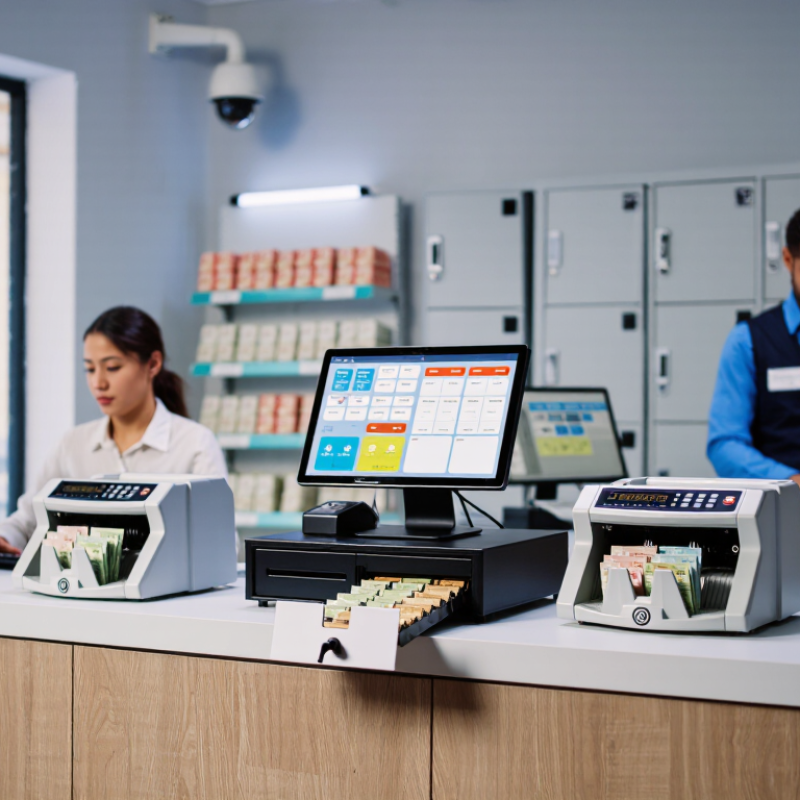
Choosing the right Cash Handling Equipment starts with a simple question: how much cash actually moves through your business each day? A café may need a compact till and counterfeit-detection tools. A busy supermarket may benefit from note counters, cash drawers, and secure back-office storage. The best setup depends on transaction volume, staff routines, space, and the time available for daily reconciliation.

Cash still matters. The Federal Reserve’s 2024 Diary of Consumer Payment Choice found that consumers made 16% of their payments in cash during 2023. Payments researcher Claire Greene, a co-author of the report, notes: “Cash payments accounted for 16 percent of all payments in 2023.” This finding does not mean every business needs expensive machinery. It does show why reliable cash processes remain relevant. (Federal Reserve, 2024 Diary of Consumer Payment Choice.)

Equipment should solve a visible problem. If staff spend each evening counting coins, a coin counter may save time. If discrepancies keep appearing, a cash recycler or stronger reconciliation process might help. Security matters, too: consider lockable drawers, controlled access, and clear audit records. A machine is not a cure-all. Poor training can undermine even a good purchase.

Think about service, maintenance, and the cost of downtime before comparing price tags. Check whether equipment fits your counter, integrates with your point-of-sale system, and can handle peak-hour volume. Cash Handing Equipment should match real working conditions, not an idealized forecast. And be honest about the gaps. A short trial can reveal what spreadsheets miss.
How to Choose the Right Cash Handling Equipment for Your Business

Assess Your Business’s Cash Volume and Handling Needs

How to Choose the Right Cash Handling Equipment for Your Business

Assess Your Business’s Cash Volume and Handling Needs

Start with your own tills, not an industry average. The Federal Reserve’s 2024 Diary of Consumer Payment Choice reports that cash accounted for 16% of US consumer payments in 2023. That figure offers context, not a forecast for your shop. A busy café, for example, may receive many small notes and coins during lunch, while a service office may handle fewer, larger payments. Track cash received by day, shift, and denomination for several weeks. Include peak periods. Count first.

Next, map what happens after payment: who counts each drawer, how often deposits are prepared, and where cash waits. Frequent recounts may justify a note counter; heavy coin use may call for a coin sorter. A recycler may help when staff regularly need change, but it could be unnecessary for a low-volume counter. Consider counter space, noise, training, and how equipment fits your existing records. One detail is easy to miss: a machine can speed counting, yet still leave staff handling cash twice if the workflow is poorly arranged.

Tips: Compare equipment using your busiest normal shift, not an unusually quiet day. Record errors and counting time before purchase, then test the same measures afterward. Estimates can be messy; keep the method consistent.


Identify the Equipment Types That Fit Your Workflow

Map the cash journey before selecting equipment: payment, change-making, till storage, reconciliation, and deposit preparation. A small café may need a secure drawer and a compact note counter. A high-volume grocery checkout may benefit from a coin sorter and note validator. Keep it simple. Match capacity to peak-hour volume, not the quietest shift.

The Federal Reserve’s 2024 Diary of Consumer Payment Choice reported that cash represented 16% of U.S. consumer payments in 2023. That makes reliable cash workflows relevant, even where digital payments dominate. For several checkout lanes, shared back-office counters can reduce repeated counting. A deposit safe near the closing area can shorten staff trips, while a cash recycler may suit locations that repeatedly issue change. Check supported denominations, counting speed, noise, and available counter space before buying.

Build in clear handoffs. A drawer should be easy to reconcile, and each device should produce records staff can verify. Small details matter. Test the equipment during a realistic busy period; a fast counter can still create a queue if staff must carry loose notes across the room. One easy mistake is choosing features before measuring the workflow. The fit may look obvious on paper, then feel awkward at closing time.

How to Choose the Right Cash Handling Equipment for Your Business — Identify the Equipment Types That Fit Your Workflow

Equipment Type Best-Fit Workflow Typical Use What It Does Points to Consider
Cash Drawer Businesses that accept cash at a staffed checkout or service counter. Opening tills, making change, and securing cash during a shift. Organizes notes and coins in separate compartments and provides a secure place for till cash. Choose a drawer that fits the counter and point-of-sale setup. Set clear procedures for till access, opening balances, and shift-end reconciliation.
Banknote Counter Businesses that regularly count batches of notes, such as at a cash office or back-office station. Preparing deposits, verifying till drops, and counting cash received from multiple tills. Counts banknotes automatically; some models also check notes for selected authenticity features. Check which note currencies and denominations the device supports. A counting function alone does not guarantee that a note is genuine.
Coin Counter or Sorter Businesses that handle substantial quantities of loose coins. Sorting mixed coins by denomination and preparing coin totals for reconciliation or deposit. Counts coins and, on sorting models, separates them into denomination-specific containers. Confirm currency compatibility, coin-container capacity, and whether the workflow requires counting only or sorting as well.
Counterfeit-Detection Device Cashiers and staff who need an additional check when accepting notes. Checking selected security features on banknotes during customer transactions or cash reconciliation. Uses methods such as ultraviolet, magnetic, infrared, or image-based checks, depending on the device. Detection methods vary by model and currency. Staff should follow the device instructions and their organization’s procedures for questionable notes.
Smart Safe Businesses that collect cash throughout the day and want controlled, documented cash drops. Depositing notes into a secure unit between till reconciliation and bank pickup. Restricts access and can record deposits by user or time. Some systems provide deposit information for cash-management processes. Check capacity, access controls, audit-record options, and how deposit records fit existing reconciliation and cash-collection procedures.
Cash Recycler Cash-intensive operations with frequent cash deposits and payouts, such as centralized checkout or cash-office workflows. Reusing deposited notes to prepare change or support cash payouts. Accepts, validates, stores, and dispenses notes; some units also handle coins. Assess transaction volume, supported currencies, storage capacity, maintenance needs, and integration requirements before selecting a system.
Point-of-Sale-Integrated Cash Drawer Checkout workflows where sales and payment records are managed through a point-of-sale system. Opening the drawer as part of a recorded cash sale, refund, or authorized cash-management task. Connects drawer operation to the checkout workflow, helping staff associate drawer openings with system activity. Verify compatibility with the existing point-of-sale hardware and software, and restrict manual access according to internal controls.

Compare Accuracy, Security, Capacity, and Ease of Use

Choosing cash handling equipment starts with observing how money moves through your business. A busy café may need quick note counts at lunchtime, while a small shop may value simple end-of-day reconciliation. For accuracy, check whether the unit recognizes different denominations, flags suspicious notes, and displays errors clearly. Test it with mixed bills and coins similar to those staff handle daily. Small errors matter.

Security involves more than a locked compartment. Look for controlled user access, transaction records, and a clear process for emptying the unit. Capacity should match your busiest shift, not an average afternoon. If the cassette fills before lunch, staff may need to open it during a rush. An oversized machine can also waste counter space.

Ease of use affects whether a system works reliably after installation. Ask staff to complete routine tasks, such as loading cash and correcting a rejected note, without coaching. Check the screen visibility, noise level, cleaning needs, and time required for basic training. A polished demonstration may not reveal awkward steps. No machine removes every counting mistake; compare its records with your register during a trial period, and reconsider if the workflow still feels cumbersome.

Check Compatibility with Your Systems and Security Procedures

Choosing cash-handling equipment starts with checking how it will work with your existing systems. Map the path from payment to record: point-of-sale terminal, cash drawer, back-office software, and end-of-day reporting. A counter with limited space may also affect where equipment fits and how staff reach it. Small details matter.

Confirm that the equipment can exchange the information your systems need, such as transaction totals, denomination counts, and exception alerts. Ask whether it connects through your available ports or network, and whether software updates could disrupt that connection. Test the setup with real workflows before purchase: process a sale, correct an entry, and reconcile the drawer. Include the people who will use the equipment each day. A neat product specification can still miss a practical snag, like a cable crossing a busy work area.

Security procedures should shape the choice, not be added later. Check whether staff access can match your existing roles, and whether the equipment records useful activity, such as opening events or rejected transactions. Consider where cash is stored, who can reach it, and how managers review discrepancies. Keep those steps consistent with your written procedures. Do not assume a secure device automatically creates a secure process. A short trial can reveal gaps, though teams sometimes overlook quieter shifts when testing.

Evaluate Costs, Maintenance, and Future Business Growth

How to Choose the Right Cash Handling Equipment for Your Business

Evaluate Costs, Maintenance, and Future Business Growth

Choosing cash handling equipment starts with understanding your daily workload. Track cash transactions, peak-hour queues, and the time staff spend counting or reconciling drawers. A small shop with one register may need a different setup from a busy café with several checkout points. Measure before you buy.

Look beyond the purchase price. Include installation, staff training, consumables, and service costs in your budget. Ask how often routine maintenance is required and whether common parts are easy to obtain. A dusty sensor or jammed note path can slow a shift, even when the machine seemed affordable. Small costs add up. Compare the expected time saved with the full cost over several years; the result may be less impressive than expected.

Tips: Keep a simple record of repairs, counting errors, and minutes spent closing each day. Review it every few months. If sales are growing, check whether the equipment can handle more transactions or connect with your existing cash procedures. Avoid paying for capacity you may never use, but leave room for change. Growth is hard to predict. A practical choice should fit today’s workload and remain manageable as your business evolves.

REQUEST A QUOTE

Menu
[all-fields]