
2026 Best RFID Tool Tracking Systems for Businesses

On a busy jobsite, a missing drill can delay a crew, disrupt schedules, and create an unexpected replacement cost. Rfid Tool Tracking helps businesses identify tools through tagged equipment and RFID readers, rather than relying only on handwritten checkout sheets. The technology can reveal when a tagged item passes a reader or enters a monitored area. It does not automatically provide exact, continuous location everywhere.

Small details matter. Metal surfaces, crowded storage rooms, and reader placement can affect performance. A system that works well in a warehouse may need adjustments across vehicles, workshops, and outdoor sites. Staff routines matter, too. If tool checkouts are skipped, even accurate scans can leave incomplete records.

This guide to the 2026 best RFID tool tracking systems for businesses examines practical differences between platforms. It considers tag durability, reader coverage, software usability, reporting, integrations, and ongoing costs. It also looks at how systems handle shared tools, maintenance records, and equipment moving between locations. These details are more useful than a feature list alone.

No single option suits every operation. A small contractor may value simple deployment, while a larger organization may need centralized oversight across several branches. The right choice depends on tool volume, site layout, existing software, and staff capacity. There is a catch: a capable platform cannot fix a poorly planned workflow. Use this overview to compare options, identify questions for vendors, and set realistic expectations before investing.
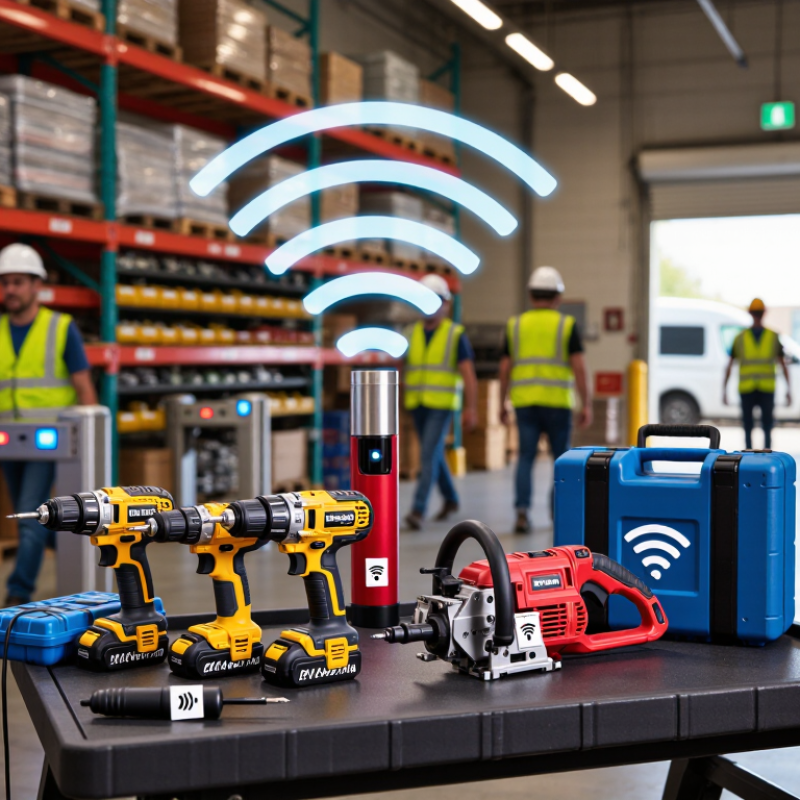
2026 Best RFID Tool Tracking Systems for Businesses

RFID Tool Tracking Fundamentals: Tags, Readers, and EPC Identity

RFID Tool Tracking Fundamentals: Tags, Readers, and EPC Identity

A dependable tool-tracking system starts with a clear identity for each item. An RFID tag stores or carries an EPC, a code used to distinguish one tagged tool from another. The EPC is not a live location signal; readers must detect the tag before software can update the tool’s recorded status. For example, a reader near a storage cabinet may log a drill as it enters or leaves its read zone.

Tags and readers need to suit the work environment. Metal tool bodies can affect radio signals, so tags designed for metal surfaces may perform better than ordinary labels. Reader placement matters too: shelving, toolboxes, and nearby equipment can create missed reads. A perfect read rate is a nice idea, not a field reality. Test with real tools and normal movement before relying on the data.

Tips: Assign each EPC to one tool in your inventory, and keep that mapping accurate when items are replaced. Test tags on the actual surfaces you plan to track. Small details matter. If reads are inconsistent, adjust tag position or reader placement, then test again. A little rework is normal.


Tag Selection by Environment: Metal-Mount, Rugged, and UHF Options

For businesses evaluating RFID tool tracking systems in 2026, tag choice should start with the tool’s surroundings. Metal-mount tags include a spacer or tuned structure that helps reduce interference from steel surfaces. Standard tags can lose read reliability when attached directly to a metal drill case or wrench. Test sample tags on the actual tools, not just a clean desk. Small details matter.

Rugged tags suit tools exposed to drops, vibration, dust, or frequent handling. Check the housing, attachment method, and expected cleaning conditions before deployment. A tough tag still fails if its adhesive peels from an oily surface. UHF tags can support faster reads across groups of tools, but range is not guaranteed. Nearby metal, liquids, shelving, and reader placement can affect performance. A bench test may mislead.

Tips: Attach tags where hands and tool jaws will not scrape them. Label a few tools in each environment, then test reads from storage bins and work areas. Record missed reads, not just successful scans. Teams sometimes rush this step; it is easy to underestimate how much a crowded cabinet changes results.

Accuracy Benchmark: Auburn RFID Lab Research Reports RFID Inventory Near 95%

For businesses comparing RFID tool tracking systems in 2026, an accuracy benchmark near 95% deserves attention.

Auburn RFID Lab research reports RFID inventory accuracy near that level. It is a useful reference, not a guarantee for every tool room. Real results depend on tag placement, reader setup, and how tools move through the space. Metal surfaces, crowded bins, and rushed check-ins can complicate reads. That matters.

A practical trial should compare system records with a careful physical count.

Track the same tool set across check-out, return, and routine searches. Record missed reads and duplicate records, not just successful scans. Define “accuracy” before testing; a count match and a correct tool location are different measures.

Keep exceptions visible. A missing drill may be more urgent than a small inventory mismatch, even if both affect the score.

Staff habits also matter, and a reader cannot fix inconsistent check-in procedures by itself. Results may fall short at first. That is useful evidence: adjust tag placement, reader coverage, or workflow, then measure again under ordinary working conditions.

System Integration: GS1 EPCIS 2.0 for Sharing Visibility Events

RFID tool tracking creates value when a scan becomes a trusted, shareable event. GS1 EPCIS 2.0 gives organizations a common structure for recording what happened, when, where, and why. A tool leaving a storeroom, for example, can generate an event linked to its identifier, reader location, and checkout step. EPCIS 2.0 also supports sensor data and JSON-LD, helping systems exchange richer records.

The GS1 standard does not make separate systems interoperable by itself. Teams still need consistent identifiers, mappings, and event rules. MHI’s 2024 Annual Industry Report found that 55% of surveyed supply chain professionals planned to invest more than $1 million in supply chain innovation. That investment may fund connected platforms, but clean event data matters just as much. Small mismatches in location codes can send a tool’s history to the wrong work area.

Useful, but not magic. Auburn University’s RFID Lab has reported inventory accuracy rising from about 63% to 95% in RFID-enabled retail settings. That result is encouraging, though retail findings should not be treated as a guaranteed outcome for tool fleets. Before rollout, test EPCIS events with real workflows: a drill checked out at the cage, returned late, then moved to maintenance. Missing scans still happen. A practical system should flag gaps for review, rather than quietly presenting incomplete records as certainty.

2026 Best RFID Tool Tracking Systems for Businesses — System Integration: GS1 EPCIS 2.0 for Sharing Visibility Events

Use this standards-based comparison to evaluate how an RFID tool-tracking solution can represent operational events and share visibility data. It describes integration capabilities and design considerations—not rankings or vendor performance claims.

Business Requirement RFID Data to Capture EPCIS 2.0 Event Pattern Visibility Shared Integration and Data-Quality Considerations
Register a tool or asset Unique item identifier, tag-to-tool association, event time, and commissioning location ObjectEvent can record an observation or an addition to the supply-chain data set, with the applicable action and business context. Which identified tool was recorded, when it was recorded, and at which read point or business location Maintain a reliable association between the RFID identifier and the tool record. EPCIS describes events; it does not issue or manage RFID tags.
Check tools in and out Tool identifier, reader or read point, event time, location, and relevant work-order or transaction reference ObjectEvent with a documented business step and, where applicable, a business transaction reference Recorded tool observations associated with a checkout, return, job, or other defined workflow Define business-step values consistently across participating systems. A read is evidence of an observation, not by itself proof of who accepted custody.
Transfer tools between sites Tool identifier, dispatch and receipt observations, event times, locations, and transfer reference ObjectEvent for observations; source and destination details or transaction references can provide movement context where applicable. Recorded dispatch and receipt events that can be correlated to a transfer Agree on shared location identifiers, transfer references, and event-time handling. EPCIS does not guarantee that a destination has received an item unless a receipt event is captured.
Track kits and tool bundles Identifier for the kit or parent container, identifiers for its component tools, and assembly or disassembly time AggregationEvent represents associations between a parent and its contained objects, including additions and removals. Which identified tools were associated with a kit at a recorded point in time Capture changes to the parent-child relationship when tools are added or removed. Keep kit identity distinct from the identity of each individual tool.
Perform cycle counts and locate exceptions Observed identifiers, read point, event time, and the expected inventory location or count context ObjectEvent with an observation action and the applicable business context Tools observed at a location and exceptions identified by comparing event data with inventory records Read zones, tag placement, metal interference, and missed reads affect operational results. Validate counts against the deployment environment rather than assuming every tag read is complete.
Record maintenance and inspection activity Tool identifier, inspection or service reference, event time, location, and relevant condition or sensor data ObjectEvent can carry an observation with agreed business context; additional maintenance details may be linked through a business transaction or an agreed extension. Which tool was associated with a recorded inspection or maintenance event and the related reference Define a consistent maintenance vocabulary and data model with connected maintenance systems. EPCIS does not prescribe a complete maintenance-management workflow.
Share events across business systems EPC identifier, event time, read point, business location, business step, disposition, and relevant transaction references EPCIS 2.0 supports event capture and query interfaces; event data can be represented using JSON-LD. Queryable visibility events for authorized systems and trading partners Set access controls, partner permissions, identifier conventions, and data-retention rules separately. The standard enables exchange but does not determine who is authorized to see an event.
Connect RFID observations with sensor readings Tool or object identifier, event time, sensor type, reading, and unit of measure EPCIS 2.0 supports sensor data associated with events, subject to the agreed data model. Recorded sensor observations associated with identified objects and events Normalize units, sensor identifiers, timestamps, and calibration practices. Sensor availability depends on the tag, reader, and application architecture.
Maintain interoperability across applications Consistent identifiers and shared values for locations, business steps, dispositions, and transaction types EPCIS event structures can use the GS1 Core Business Vocabulary (CBV) where applicable, alongside agreed extensions. Events that participating systems can interpret using common identifiers and vocabulary Document vocabulary versions and extension rules. Conformance testing is needed to confirm that each integration handles required fields and values consistently.

Evaluation note: EPCIS 2.0 is a standard for capturing and sharing visibility event data. It does not specify RFID reader accuracy, read range, deployment cost, or guaranteed inventory outcomes; assess those separately through site testing and operational requirements.

2026 Business Evaluation: Compare Capture Rates, Labor, and Total Cost

A useful 2026 evaluation starts with capture rates measured in the actual work area, not a showroom. Test tools in crowded cabinets, near metal surfaces, and during normal check-in and checkout. Real conditions matter. Record missed reads, duplicate reads, and the time needed to resolve exceptions. A high headline rate may hide weak performance when tools overlap or workers move quickly.

Labor impact deserves equal attention. Track minutes spent searching, scanning, reconciling records, and correcting errors before and after a pilot. Include setup and training time; these costs are easy to overlook. Ask whether employees can complete routine transactions without stopping to adjust tags or repeat scans. A neat spreadsheet can still miss interruptions on a busy shift. That deserves a second look.

Total cost includes more than readers and tags. Estimate installation, software, system integration, replacement tags, maintenance, and ongoing support across the expected service period. Compare those costs with measurable changes in tool availability and administrative workload, using the same assumptions for each option. Keep uncertain savings separate from documented savings. Small pilots can also produce misleading results if they cover only one team or one type of tool, so note what the test did not measure.

2026 Best RFID Tool Tracking Systems for Businesses

Business evaluation: compare capture rates, labor, and three-year total cost

Tool capture rate

Captured tools per inventory cycle

Inventory labor

Staff hours spent per week

Three-year total cost

Estimated labor plus system costs (USD)

Scenario model, not a measured industry benchmark or vendor quote: assumes 1,000 tools, 52 operating weeks per year, and labor at $30 per hour. Capture rates and weekly hours are illustrative planning assumptions; three-year costs include modeled labor and estimated system/setup costs. Actual results depend on site conditions, workflow, equipment, and implementation.

REQUEST A QUOTE

Menu
[all-fields]